
How billing works
Brume bills in arrears: you use a service during the month, and the 1st of the following month brings one invoice for it. This page explains what you pay and when.
The rules in short
- You pay for the capacity you reserve, by the hour. Not for what you store, and not in advance.
- One invoice a month, on the 1st, for every hour of the month before.
- Every started hour counts, at the capacity reserved during it.
- Nothing is charged when you order, change or delete a service: it all shows on the next invoice.
- An unpaid invoice never destroys your data. See Unpaid invoices.
Prices are excluding VAT; French VAT (20 %) is added on the invoice. The grid is on the Pricing page. Days and months follow the Paris time zone.
Reserved capacity, by the hour
Each storage service has a reserved capacity, with a monthly price shown when you order it or change it. Every hour, Brume records the capacity reserved during that hour. On the 1st, each service gets one line: its monthly price times the hours it lived, over the hours in the month — the invoice spells it out as "€50.00 a month × 360 h".
So:
- Ordering mid-month costs only the hours left. A service at 50 € HT a month, ordered at the start of the 16th of a 30-day month, costs 25 € HT that month (360 hours out of 720).
- Changing the capacity applies at once. A raise is billed from the current hour; a decrease from the next one, because a started hour counts at the most it carried. The hours before and after are on the same invoice: there is nothing to prorate and nothing to credit.
- Deleting a service stops the hours at once. The hours already lived are on the next invoice.
The minimum invoice
A month that comes to less than 1 € HT is not invoiced: its hours are carried to the next month, and so on, until they reach the minimum. Trying a small service for a few days therefore costs nothing at first. A 100 GB service at 1 € HT a month, ordered on the 16th of a 30-day month, comes to 0.50 € HT: no invoice that month, and those hours are added to the next one.
What is not invoiced yet
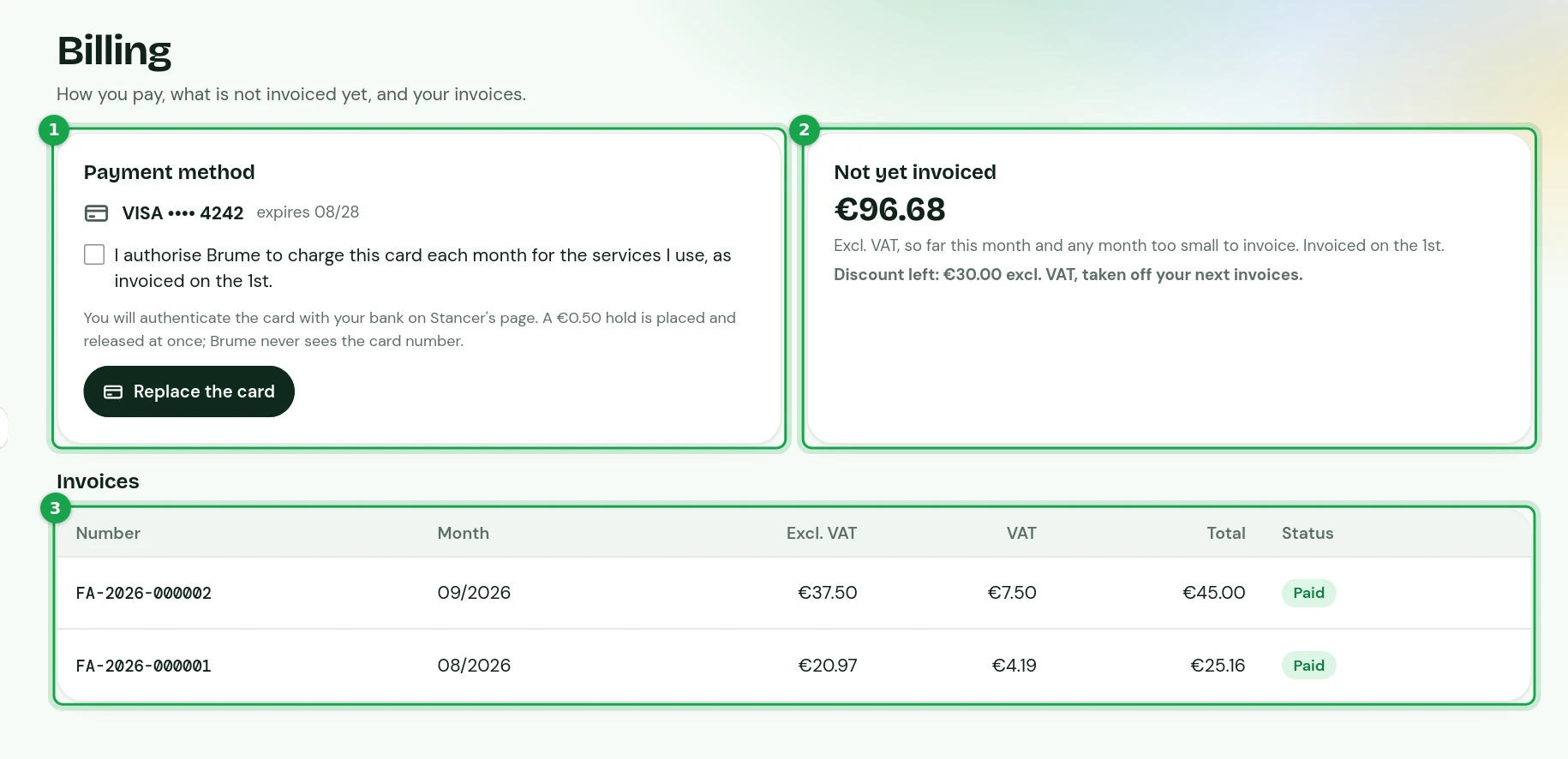
Not yet invoiced, on the Overview and Billing pages, is what your next invoice holds so far: this month's hours, and any month too small to invoice.
Discounts
Brume may grant a discount on your account, for instance after an incident. It is an amount excluding VAT taken off your next invoices, as a line of its own, up to each invoice's total; the rest waits for the following one. While some is left, Billing says Discount left. A discount is never paid out.
Paying
How the invoice is paid depends on your account:
- By card, the usual case: it is charged on the 1st, when the invoice is issued. See Payment.
- By bank transfer, for accounts approved for it: you pay each invoice within your payment terms.
Each invoice, and its PDF once filed, is under Billing. See Invoices.
ComposeRun
ComposeRun is a separate service run by a partner. Its accounts, plans and invoices are handled on composerun.eu and never appear in your Brume billing. See ComposeRun.